Medical Image Classification with Bounding Boxes
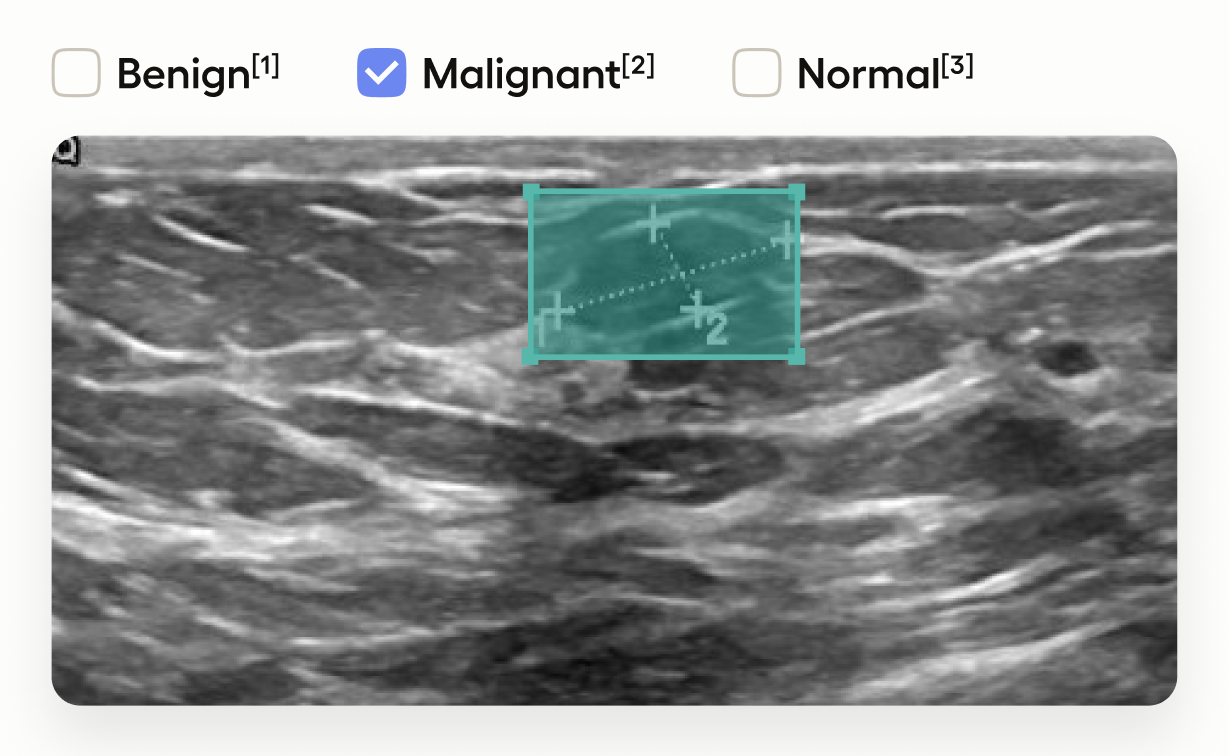
This template interface allows annotators to:
- Draw bounding boxes around areas identified as tumors in the image using the “Tumor” label.
- Classify the entire image by selecting one of “Benign”, “Malignant”, or “Normal”.
This setup is useful in medical imaging tasks where you need to localize tumors and also provide an overall assessment of the image.
Labeling configuration
<View>
  <Image name="image" value="$image"/>
  <RectangleLabels name="label" toName="image">
    <Label value="Tumor" background="green"/>
  </RectangleLabels>
  <Choices name="classification" toName="image">
    <Choice value="Benign"/>
    <Choice value="Malignant"/>
    <Choice value="Normal"/>
  </Choices>
</View>
About the labeling configuration
Image
<Image name="image" value="$image"/>This displays the image. The value="$image" means it will use the image field from your task data.
Tip
For example images, you can use a sample dataset available from kaggle.
Bounding boxes
<RectangleLabels name="label" toName="image">
  <Label value="Tumor" background="green"/>
</RectangleLabels>
This defines the image segmentation you can use. In this template, you’re drawing rectangles (bounding boxes).
- The
RectangleLabelstag creates a tool for drawing bounding boxes, andtoName="image"means that the boxes will be associated with the tag namedimage(which in this example is the name assigned to the<Image>tag). - The
Labeltag specifies that the bounding boxes represent “Tumor” regions, displayed with a green background.
For more information about working with bounding boxes, see Object Detection with Bounding Boxes.
Classification
<Choices name="classification" toName="image">
  <Choice value="Benign"/>
  <Choice value="Malignant"/>
  <Choice value="Normal"/>
</Choices>
This adds image-level classification choices.
- The
<Choices>tag provides a set of options for annotators to select. toName="image"applies these choices to the entire image.- Annotators can classify the image as “Benign”, “Malignant”, or “Normal”.
You can change these classification options by editing them, adding more, or deleting them. If your needs are more complex, you can also use nested choices.